
Simulate failures
- Understand the application
- Run the application
- Simulate failures
One of Temporal's most important features is its ability to maintain Workflow state when something fails. Simulate some failures and see how Temporal responds.
Recover from a server crash
Unlike many modern applications, Temporal automatically preserves the state of your Workflow even if the server is down.
- Stop your Worker with
CTRL+C. - Start the Workflow again with
dotnet run --project MoneyTransferClient. - Verify the Workflow is running in the UI.
- Shut down the Temporal Server with
CTRL+C. - Restart it and reload the UI.
Your Workflow is still listed:
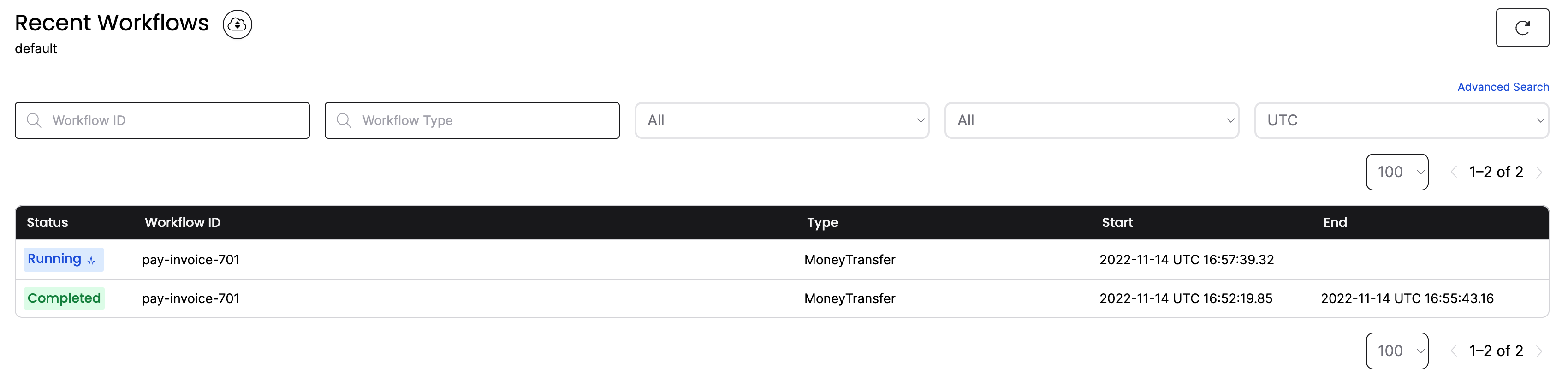
If the Temporal Cluster goes offline, you can pick up where you left off when it comes back online.
Recover from an unknown error in an Activity
To test this out, simulate a bug in the DepositAsync() Activity method. Let your Workflow continue to run but don't start the Worker yet.
Open MoneyTransferWorker/Activities.cs and uncomment the line that calls DepositThatFailsAsync in DepositAsync. Comment out the try-catch block below it.
Save your changes and start the Worker again:
dotnet run --project MoneyTransferWorker
You'll see the Worker complete WithdrawAsync() but error on DepositAsync() - and keep retrying using the RetryPolicy:
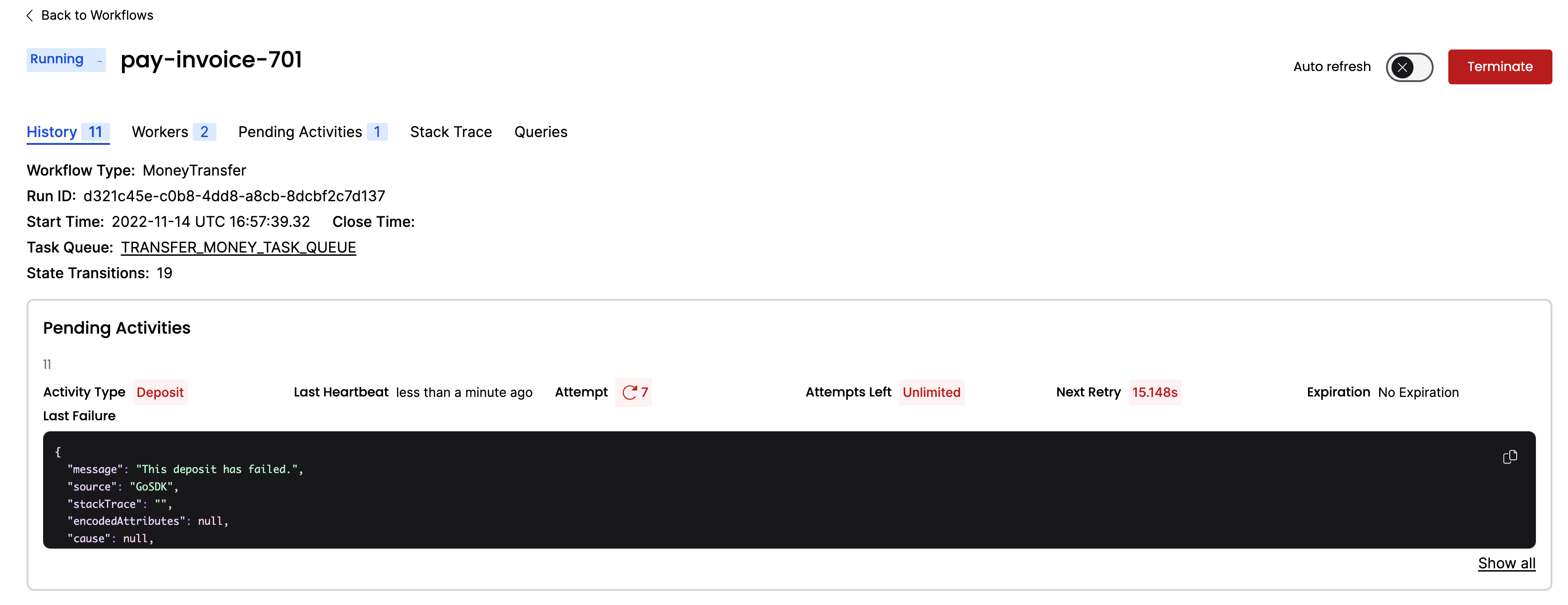
Traditionally, you'd implement timeout and retry logic in your service code itself. With Temporal, you specify timeout configurations in the Workflow code as Activity options.
Your Workflow is running, but only WithdrawAsync() has succeeded. With Temporal, you can debug and fix the issue while the Workflow is running.
Pretend that you found a fix. Switch the comments back so DepositAsync() calls the regular bankService.DepositAsync. Save your changes.
Stop the Worker with CTRL+C, then restart it:
dotnet run --project MoneyTransferWorker
The Worker picks up right where the Workflow was failing and executes the fixed DepositAsync() Activity. Visit the Web UI again and you'll see the Workflow has completed:
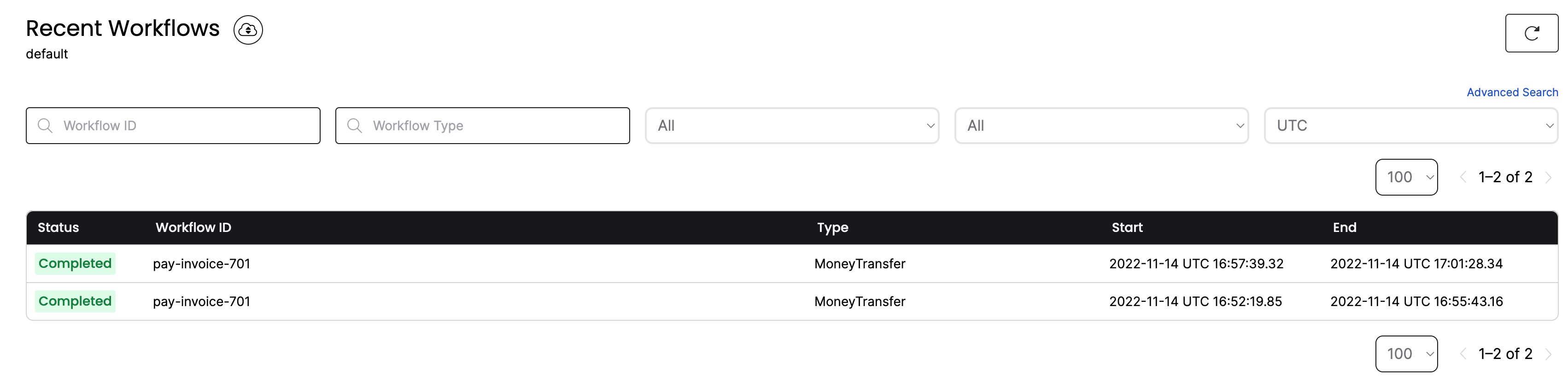
You have just fixed a bug in a running application without losing the state of the Workflow or restarting the transaction.
Conclusion
You now know how to run a Temporal Workflow and understand some of the value Temporal offers. You explored Workflows and Activities, you started a Workflow Execution, and you ran a Worker. You also saw how Temporal recovers from failures and retries Activities.
Further exploration
Try the following before moving on:
- Change the Retry Policy so it only retries 1 time. Does the Workflow place the money back into the original account?
What's next?
Get notified when we launch new educational content
New courses, tutorials, and learning resources - straight to your inbox.